GPT Image 2 AI Image Generator
Welcome to the ultimate GPT Image 2 AI Image Generator platform. Whether you are looking to master GPT Image 2 text to image prompting or utilize GPT Image 2 image to image transformations, our integrated workbench provides a seamless, high-performance environment for creators, marketers, and developers. GPT-Image-2 offers a streamlined parameter surface, making it more efficient than GPT-4o for pure visual production.
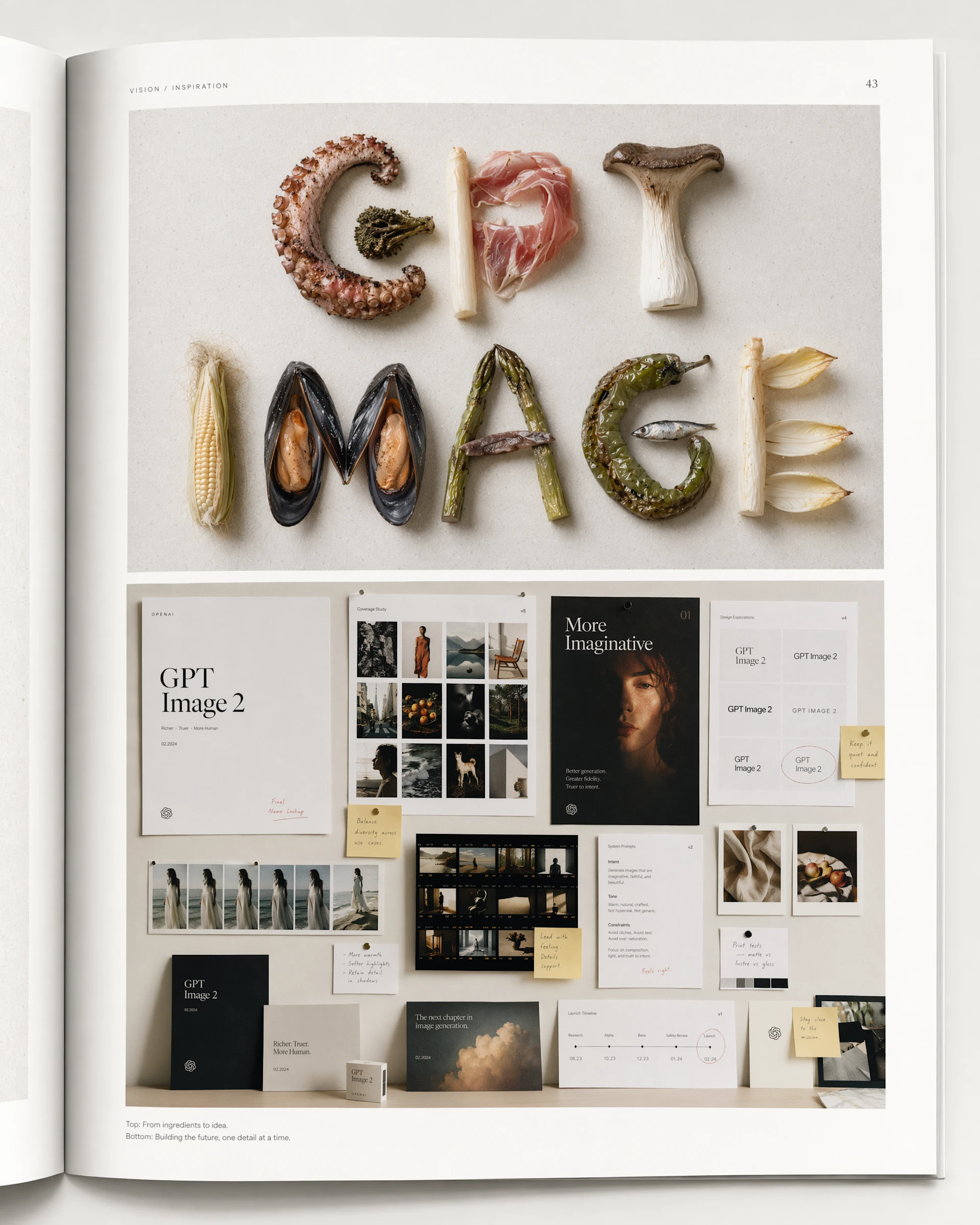
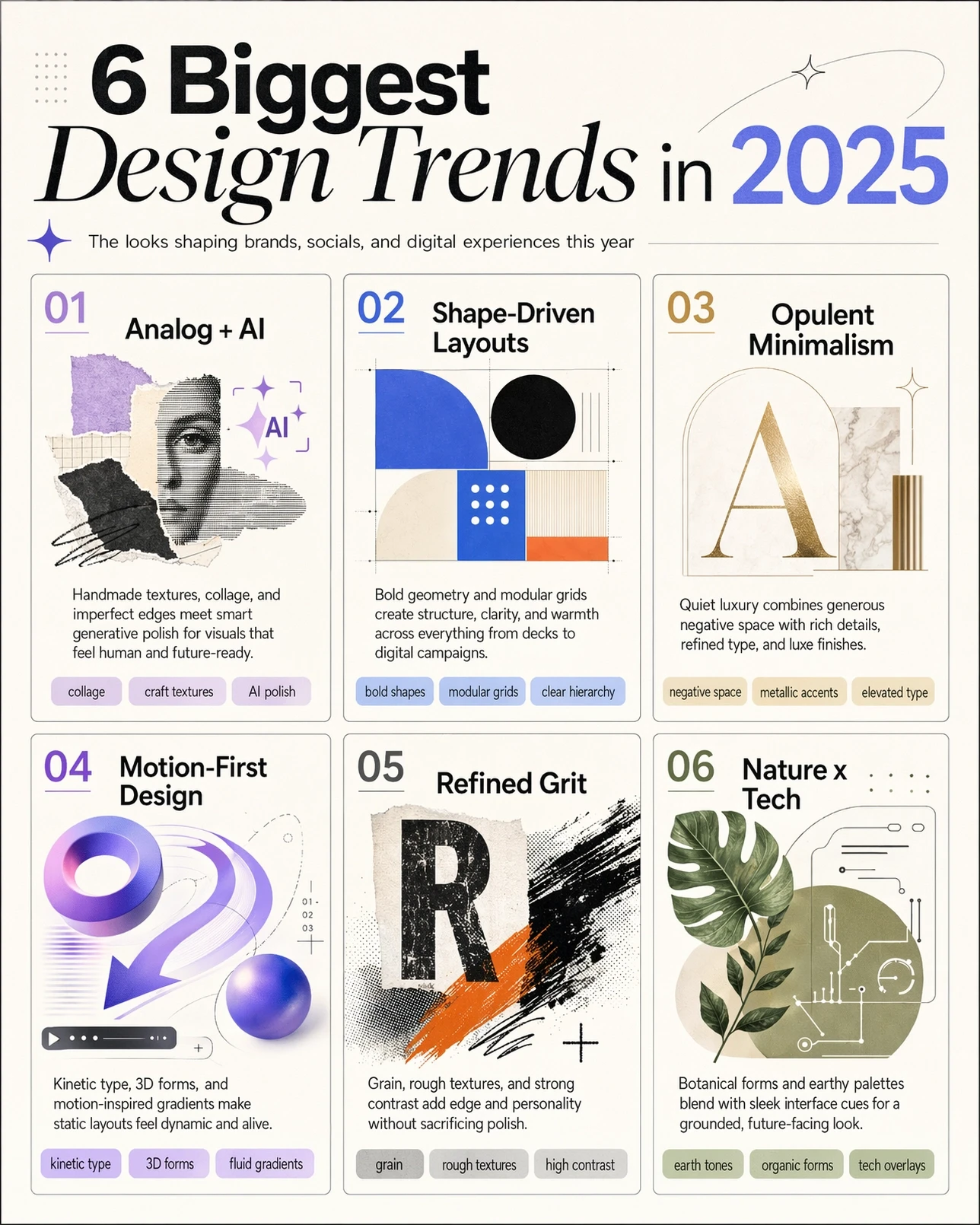
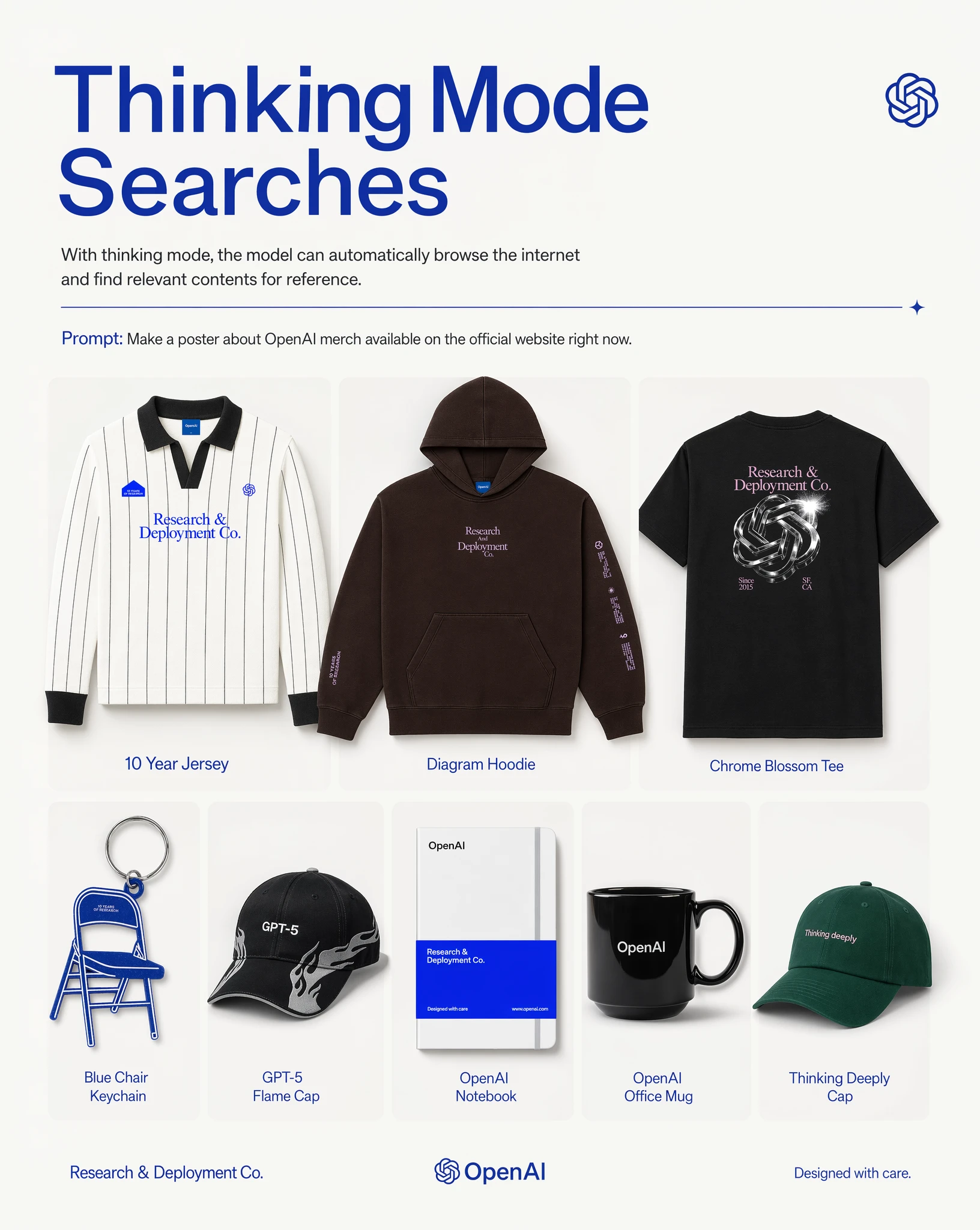
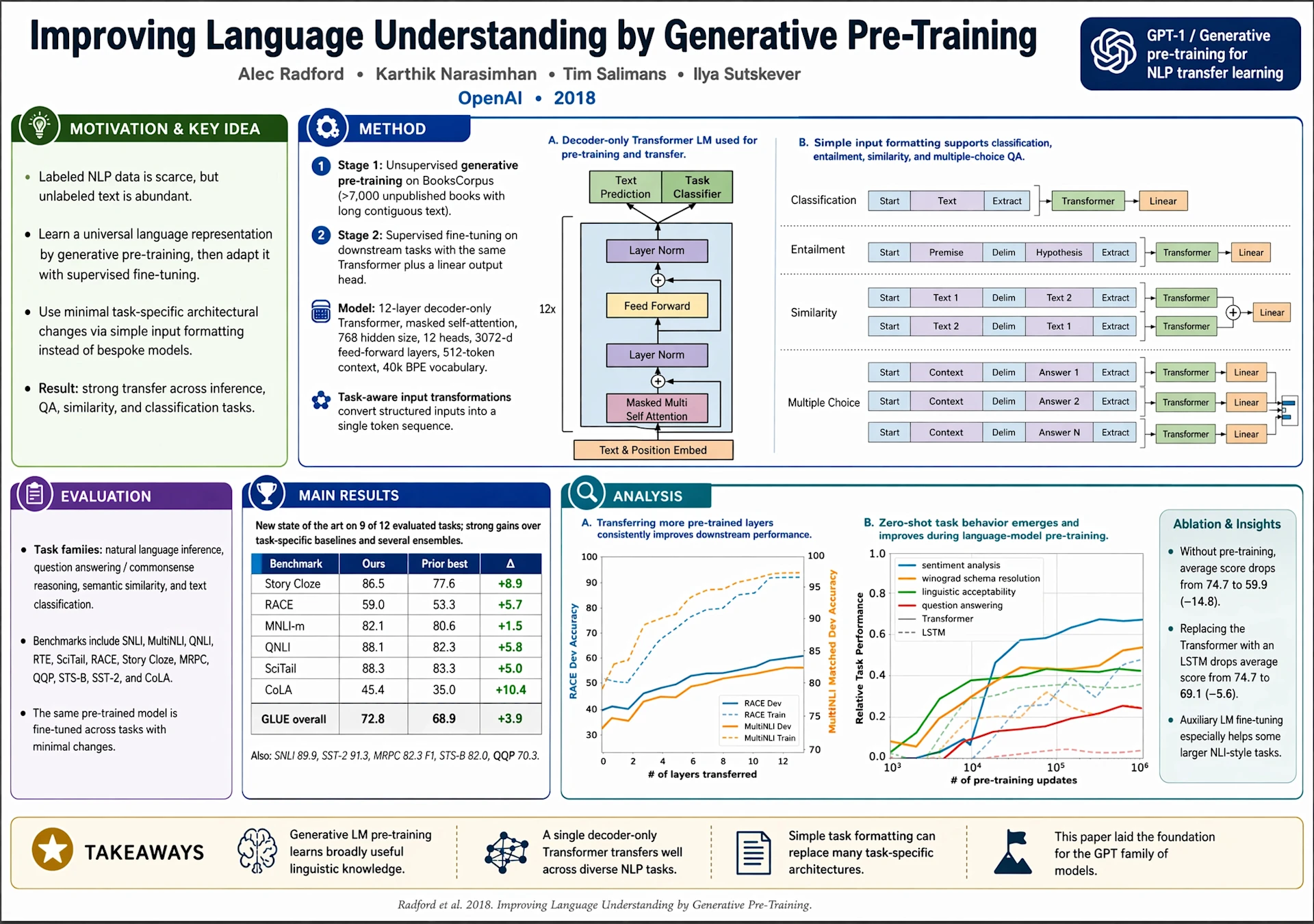
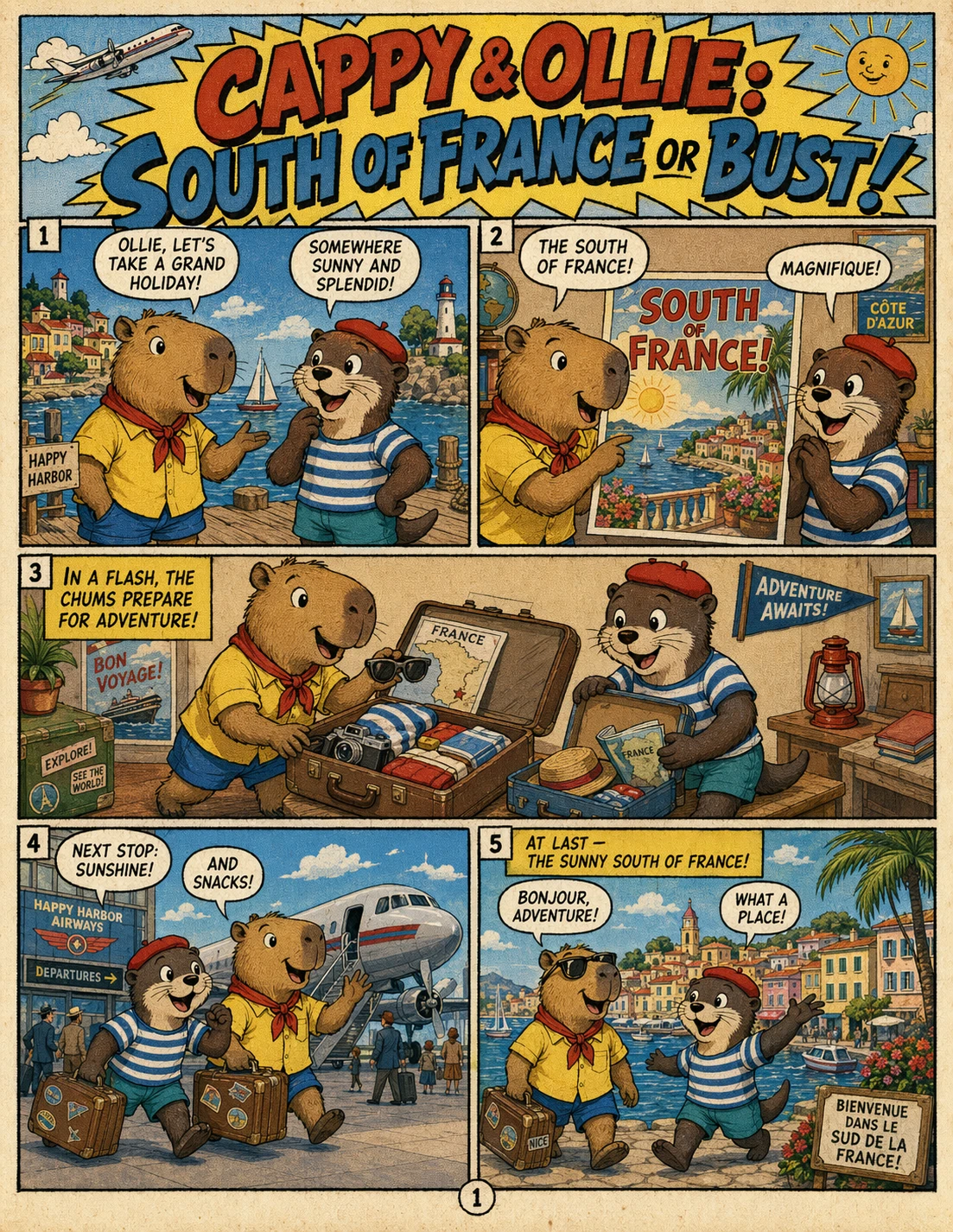
Core Capabilities of GPT Image 2 AI Image Generator
These core features reflect the strongest claims and usage patterns associated with GPT Image 2 AI Image Generator, from text fidelity to editing precision and commercial-ready output.
Near-Perfect Text Rendering
GPT Image 2 AI Image Generator is especially strong at long strings, multi-word labels, interface copy, packaging text, and poster typography where punctuation and casing need to remain readable.
Seamless Pixel-Level Editing
GPT Image 2 image to image supports localized edits that blend more naturally into existing lighting, shadows, materials, and styling instead of forcing a full-scene regeneration.
Hard World-Knowledge Realism
Reference testing highlights stronger world-aware visuals, including diagrams, maps, reconstructions, and structured factual scenes that often break weaker image models.
Production-Ready 4K Output
GPT Image 2 AI Image Generator is positioned around flexible output sizes and high-resolution generation, making it a better fit for banners, product pages, posters, and detail-heavy campaign assets.
Extreme Instruction Following
GPT Image 2 text to image performs well on structured prompts with multiple subjects, precise placement, wardrobe control, text placement, and explicit visual hierarchy.
Responsive Iterative Editing
One of the most practical advantages is how well GPT Image 2 responds to follow-up edits, helping teams adjust messaging, finishes, props, and variants without drifting too far from the original composition.
Prompt-Based Creation
Mastering GPT Image 2 Text to Image Workflows
The GPT Image 2 text to image workflow is the cornerstone of modern AI creativity. By inputting detailed natural language descriptions, users can trigger the GPT Image 2 AI Image Generator to produce everything from hyper-realistic photography to stylized digital illustrations. This model is particularly adept at handling lighting nuances and complex textures, making the GPT Image 2 text to image process ideal for high-end aesthetic projects.
Example GPT-Image-2 Prompt
Create a high-quality, photorealistic image of a modern coffee shop storefront. The main glowing neon sign above the door should clearly read 'Morning Brew' in an elegant cursive font. Below it, a smaller, perfectly legible chalkboard sign should say 'Espresso & Pastries' in neat handwriting. The lighting should be cozy and inviting, with consistent typography throughout the scene.
Semantic Accuracy
The GPT Image 2 text to image engine understands the relationship between objects, ensuring your prompts are translated into logically structured visuals.
Rapid Iteration
Generate multiple variations of a single concept in seconds, allowing you to refine your vision through the GPT Image 2 AI Image Generator's fast processing.
Creative Versatility
From 'flat design' to 'photorealistic,' the GPT Image 2 text to image model supports a wide array of artistic styles tailored for professional use.
Guided Transformation
Precision with GPT Image 2 Image to Image
When a prompt alone is not enough, GPT Image 2 image to image gives you tighter control. Upload a reference image to preserve composition and form, then use text prompts to change style, color, or mood. GPT Image 2 image to image is ideal for brand consistency, creative asset repurposing, and guided visual transformation.
Refinement Prompt
A professional split-screen comparison layout. The left side shows a cluttered, traditional paper-based office with the text label 'BEFORE' at the top. The right side shows a modern, minimalist digital workspace with holographic displays and the text label 'AFTER' at the top. A clean vertical white line separates the two sides. The composition is perfectly symmetrical, demonstrating a clear contrast in lighting and atmosphere between the two halves.
Compositional Control
Use GPT Image 2 image to image to keep the placement of subjects identical while completely changing the visual theme.
Style Consistency
Upload a brand mood board and use the GPT Image 2 AI Image Generator to apply that specific aesthetic to new product concepts.
Visual Retouching
Effortlessly fix or enhance existing images by guiding the GPT Image 2 image to image engine with simple corrective text.
Why choose the GPT Image 2 AI Image Generator? It offers the perfect balance. Use GPT-Image-2 when you need high-fidelity visuals without the computational overhead of GPT-4o. While Nano Banana is great for fixed character identities, GPT-Image-2 is the superior choice for diverse, high-quality environmental and commercial imagery.
Model Intelligence
Choosing the GPT Image 2 AI Image Generator
In the AI image landscape, the GPT Image 2 AI Image Generator fills a focused role. While GPT-4o offers broader multimodal capability, GPT Image 2 text to image and image to image are tuned for visual quality, creative agility, and simpler direction, making the model easier to steer for specific artistic and commercial goals.
GPT-Image-2 vs GPT-4o
The GPT Image 2 AI Image Generator is faster and more specialized for artistic control compared to the general-purpose GPT-4o.
GPT-Image-2 vs Nano Banana
GPT Image 2 text to image offers more stylistic flexibility, whereas Nano Banana focuses on rigid character consistency.
Optimal Efficiency
The GPT-Image-2 workflow reduces prompt fatigue, getting you to the final result with fewer steps.
How to Use GPT Image 2
Three quick steps to generate with GPT Image 2.
Choose the GPT Image 2 Mode
Pick GPT Image 2 text to image or GPT Image 2 image to image based on your starting point.
Input Details
Describe the subject, style, text, or edit you want the model to create.
Generate Your Image
Click Create, review the result, and refine it if you need another pass.
GPT Image 2 AI Image Generator FAQ
Everything you need to know about GPT-Image-2 and its text-to-image and image-to-image capabilities.
Experience the GPT Image 2 AI Image Generator Today
Join thousands of creators who are already using GPT Image 2 text to image and GPT Image 2 image to image workflows to revolutionize their creative process. High-quality AI art is just one prompt away.